 Fillsmith
Works where others stop
Opens the dropdown and picks a real option, waits for lists that load from the server, clicks the day in the calendar, pastes into rich-text editors.
Free · AI built into Chrome · No account
Even the custom dropdowns, date pickers and rich-text editors other form fillers can't touch — with AI that runs on your own machine. No API key, no account, no subscription.
Free on the Chrome Web Store · Chrome 128+
Drives the components your app is built on
…and any control that speaks ARIA, on localhost, staging or anywhere else.
Why testers switch
Most form fillers set a value and hope. Fillsmith opens, picks, clicks and types — then reads every field back to check the page kept it.
Opens the dropdown and picks a real option, waits for lists that load from the server, clicks the day in the calendar, pastes into rich-text editors.
The email matches the name, the postcode the city, the phone the country. Dates make sense together. IBANs, VAT numbers and test cards pass their checksums.
Respects min, max, maxlength and pattern. Dropdowns only get their own options. Required fields are never empty, and uploads get real generated files.
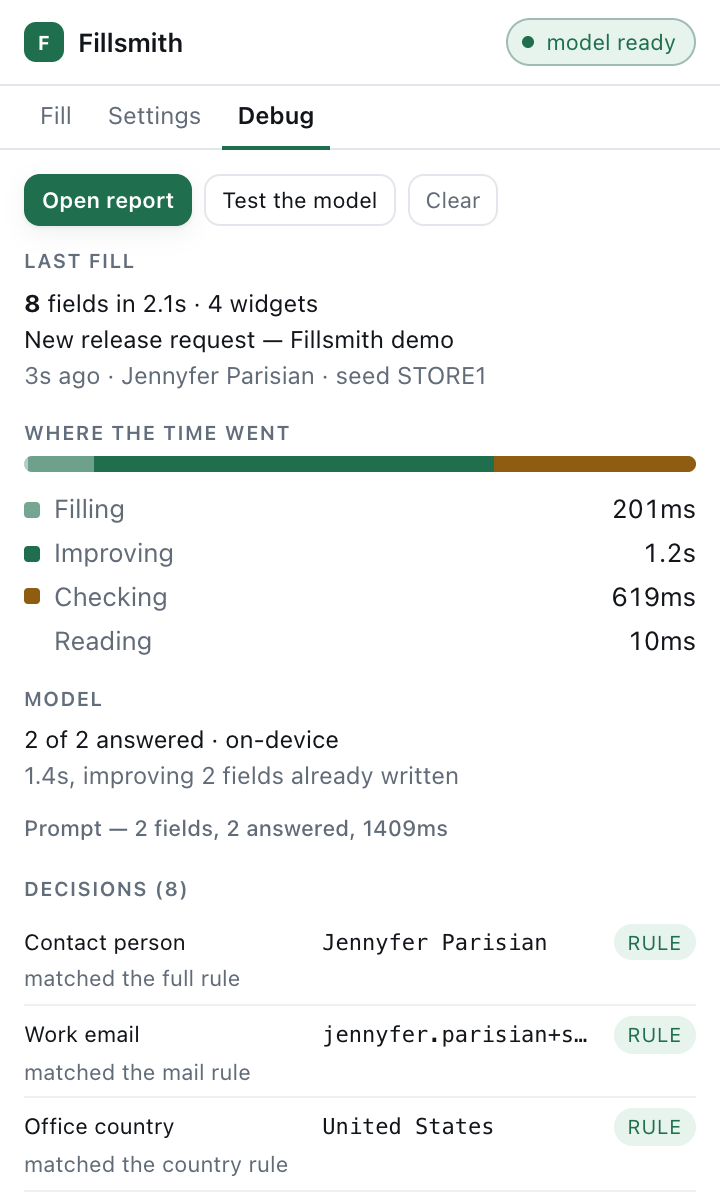
Fields no rule knows go to Gemini Nano, the model built into Chrome. On your machine, no key, no per-token cost. The form fills at once; the AI improves it as it answers.
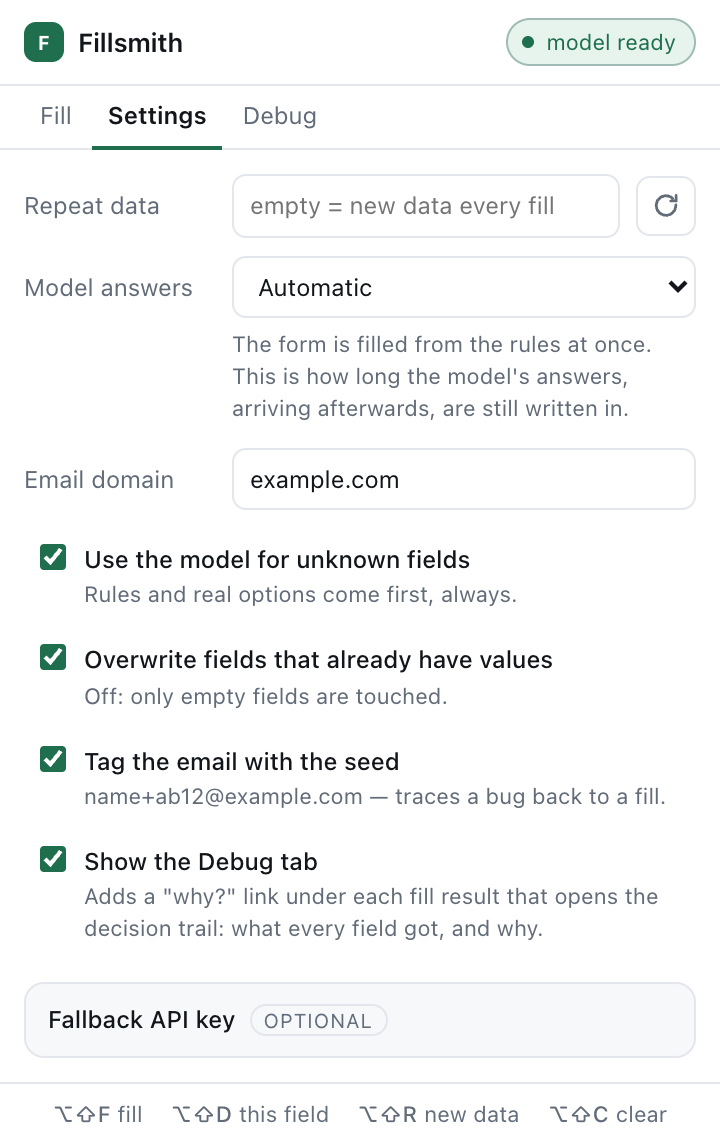
Pin a seed to get the same person again. See which rule answered each field and what the AI was asked, and save one report for the ticket.
No analytics, no tracking, no sign-up. Nothing leaves your browser unless you add your own Anthropic, OpenAI or Gemini key.
One click
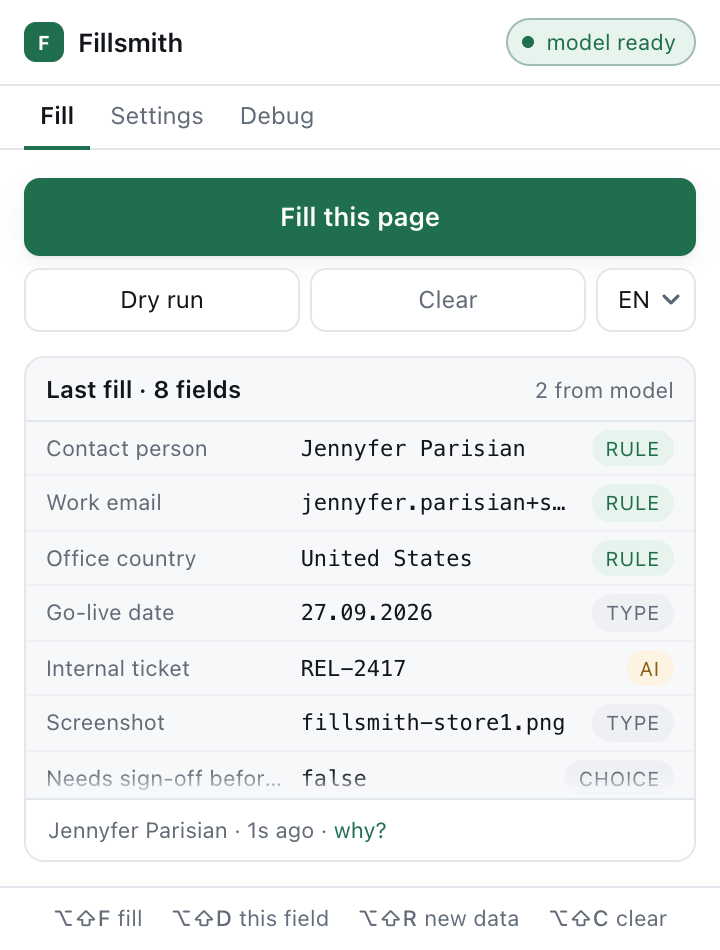
One press fills the whole page. The popup lists what each field got and why — a rule, the control's own type, one of its options, or the AI.
Reproducible
Every fill comes from a seed. Pin one and the next fill is the same person, down to the date — what you want when you are chasing a bug rather than finding one.
On-device AI
Fields no rule recognises go to Gemini Nano, which Chrome runs on your machine. The form never waits for it: rules fill everything at once, and the AI's answers replace what they improve.
The difference
| Fillsmith | Many form fillers | |
|---|---|---|
| Custom dropdowns, date pickers, editors | Opened and picked like a person | A value the widget ignores |
| The data | One coherent person | Random words per field |
| Validation | Limits respected, checksums valid | Rejected on submit |
| Checking its work | Reads every field back | Fire and forget |
| AI | Built into Chrome, free | None, or paid credits |
| Price | Free, no account | Often a subscription |
Demo video
The extension itself, filling real forms: the custom controls, one believable person, and the AI built into Chrome.
Live demo
The live demo runs in Chrome on a computer, where Fillsmith is installed. Watch it fill a form instead.
FAQ
Yes. There is no subscription, no Pro plan and no credits — one version, with everything in it. The code is open source under the MIT licence.
No. Fillsmith uses Gemini Nano, the model built into Chrome, which runs on your machine. It needs Chrome 138 or later and a one-time download by Chrome of about 2 GB on supported hardware. Without it, the rules still fill every field they recognise. You can add your own Anthropic, OpenAI or Gemini key if you prefer a hosted model.
By default, nothing — the rules and the built-in model run in your browser. Only if you add your own API key does anything go out: for fields no rule could answer, their labels, limits and options, the form's title and a few short texts from a table on the page, to the provider you chose. There is no analytics and no telemetry. Read the privacy policy.
On any page you can open in Chrome: localhost, staging, production. It drives native controls and the widgets of the common component libraries, and falls back to ARIA for the rest. If a field comes out wrong, report it — each fix ships with a test.
Yes. Pin a seed in Settings and every fill produces the same person — what you want when you are reproducing a bug rather than finding one.
One click, every field, one believable person. Free.
Add to Chrome — it's free